 Walkie
Use everything you pay for.
Claude Code, Codex, Antigravity and Grok run on your Mac, on your own logins. Walkie is the iPhone app in front of all of them.
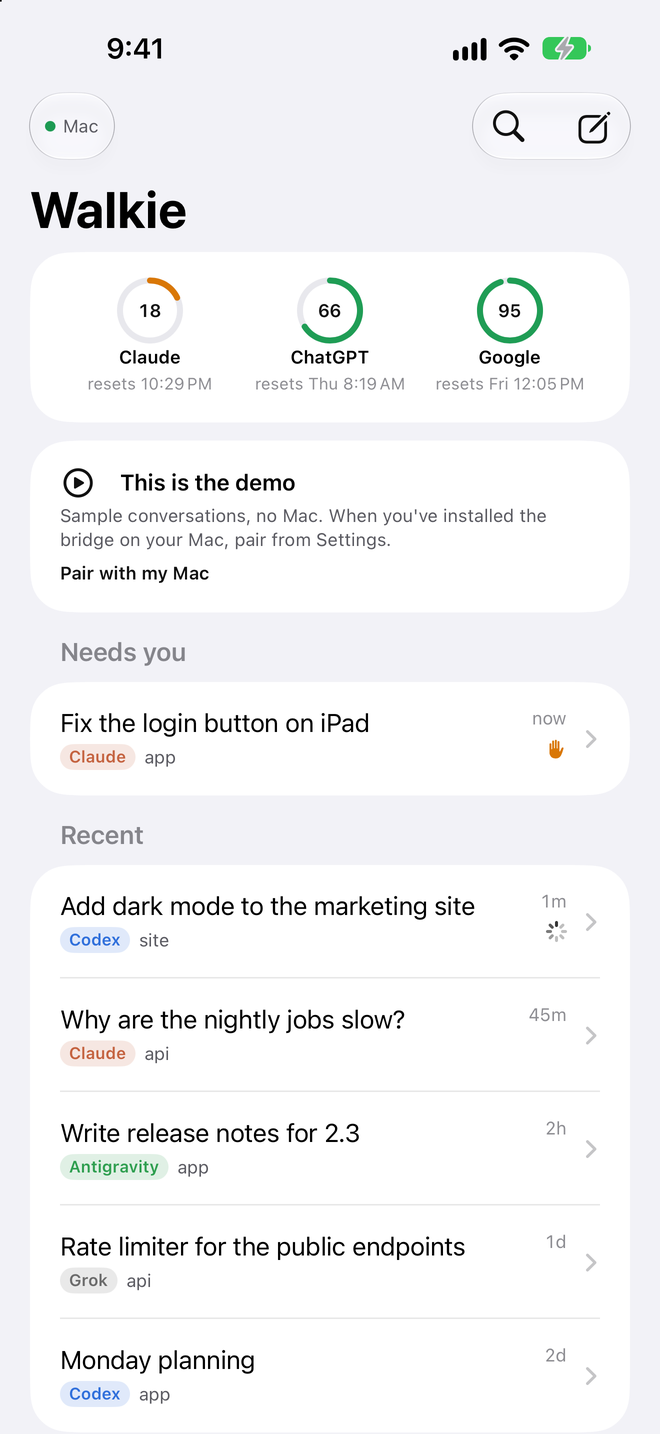
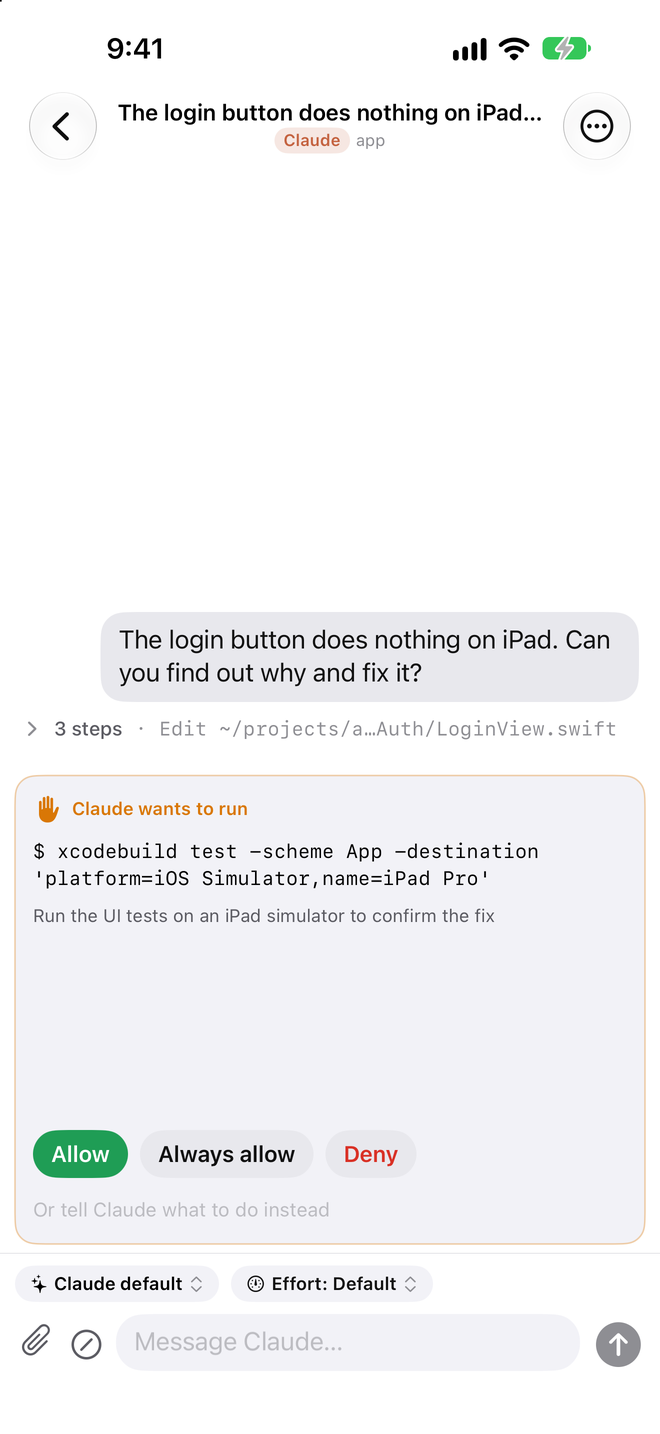
One screen. Every subscription.
Home is a meter for each plan, what needs you, and every conversation from every CLI, newest first. A conversation is the whole CLI in a chat: tool steps and diffs as rows you can open, questions and permissions as cards you answer in place, slash commands, model and effort, Stop.
Meters for every plan
Claude, ChatGPT and Google report real usage and reset times, read without spending any quota. Every model in the picker shows what's left on its plan.
Continue on another plan
When one runs out, or you want another model's take, continue the conversation on another subscription. The transcript comes along. No quota goes on a summary.
Send to projects
Talk a week's plan through in one conversation. Walkie splits it into one brief per project, you review and pick a model for each, and it starts them all.
Your agents customize it
Quick asks and project names live in one small file on your Mac. Ask any of your agents to change it and it's live on the phone a second later.
Made for a phone
Messages wait offline and send exactly once. Reconnects pick up where you left off. A CLI that crashes never takes anything else down.
The same sessions as your desk
Sessions are the ones your terminal writes. Start one on the phone, finish it at the desk, or the other way around. Rename or archive in either place.
Free for one subscription. $9.99 once for all of them.
Less than a domain. You could build it yourself, and here's the exact prompt. You're paying for someone who uses it every day to keep building and curating it, so you don't have to.
Everything Walkie does, for the first CLI you use.
- One subscription, your choice
- Meters, conversations, approvals, attachments
- The built-in demo, no Mac needed
Every CLI you pay for, on every device with your Apple Account.
- Claude Code, Codex, Antigravity and Grok
- Continue a conversation on another plan
- Send to projects across plans
- Kept up as the CLIs change
- Family Sharing
Your Mac. Your logins. No cloud in between.
The bridge is a small open-source Node server that drives the CLIs you already have. It makes one key, prints a QR code, and that's the whole setup. Your phone reaches it over Tailscale (anywhere) or your Wi-Fi (at home).
One command on the Mac. It needs node 20+ and whichever CLIs you use, signed in as usual.
curl -fsSL https://walkie.cc/install.sh | bash
The installer prints a QR code. Open Walkie on your iPhone and scan it, or paste the link.
Every conversation from every CLI is already there. Start a new one in two taps: a folder and a model.
The bridge strips ANTHROPIC_API_KEY, OPENAI_API_KEY, GEMINI_API_KEY, GOOGLE_API_KEY and XAI_API_KEY from its environment, so the CLIs always run on your subscriptions and never on a metered key. Source: github.com/pauljump/walkie (MIT).